
Crossbeam App for Make
Build automated multi-step workflows between all your sales automation tools.
About Make
With the Make you can build automated multi-step workflows between Crossbeam and thousands of apps, like Airtable, Monday.com, Asana, Salesforce, HubSpot, Pipedrive, Slack, MS Teams, Custify, Jira, Gong, Outreach, Salesloft and many, many more.
Why teams choose Make
Make delivers an easy-to-understand UI to access the APIs of thousands of SaaS solutions and to join them together into automated workflows.
The use-cases are almost unlimited, but here's some ideas of what you can build with Make:
The use-cases are almost unlimited, but here's some ideas of what you can build with Make:
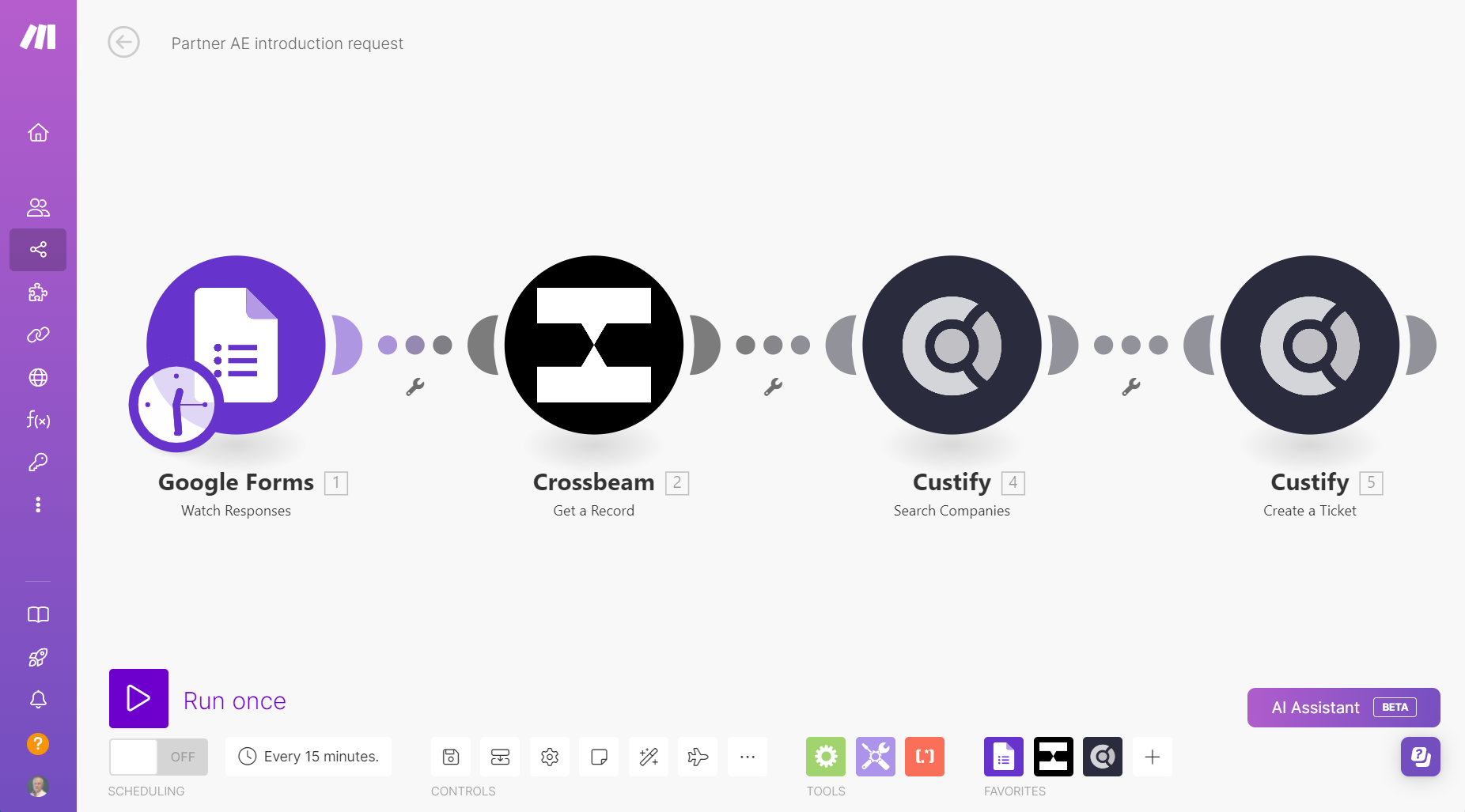
- Remove the manual steps from account introductions - Provide a web form for partner AEs to ask your CSMs for a customer introduction, right in the CSM's preferred tool (e.g. Custify, Vitally, Salesforce Service Cloud)
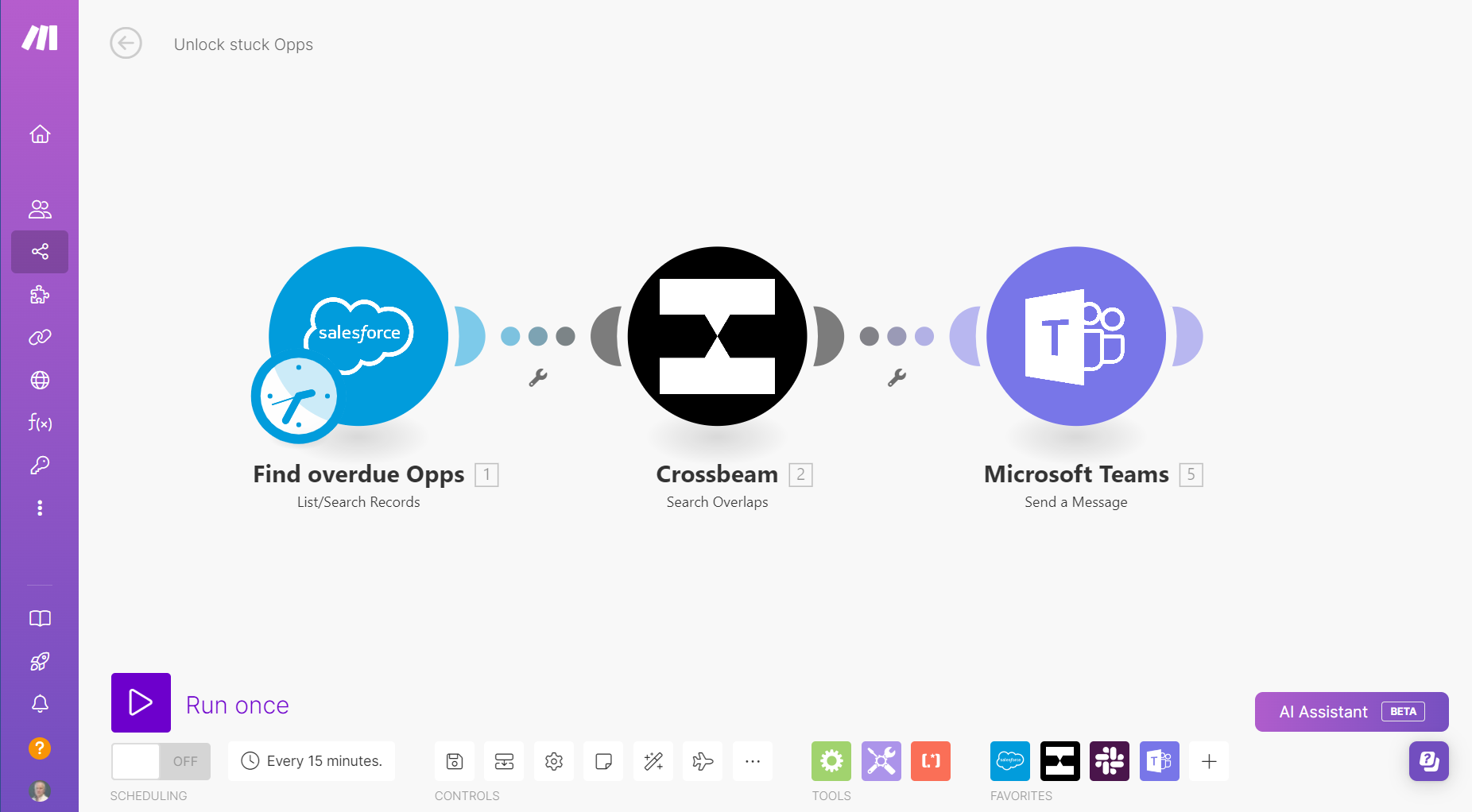
- Spot stuck deals in your CRM (e.g. Salesforce, HubSpot, Pipedrive, Zoho) and send a Slack or MS Teams message to the AE with details of partner overlaps who could help
- Automatically alert AEs and CSMs in Slack, MS Teams, Custify or Vitally when a Partner adds a new overlap that references their accounts
How it Works
- Sign up for a Free (forever) Make trial account
- Use the Free Make Academy training to learn how to build automated workflows
- Start building!
Gallery & Videos
Setup Instructions
Just start building a workflow using Crossbeam. You'll be prompted to create a connection and authenticate in a Crossbeam login dialog. Make then receives an authentication token that's stored securely and used for all future connections. Your login credentials are never stored in Make.