
Claude Connector
We're an AI research company that builds reliable, interpretable, and steerable AI systems. Our first product is Claude, an AI assistant for tasks at any scale.
How it Works
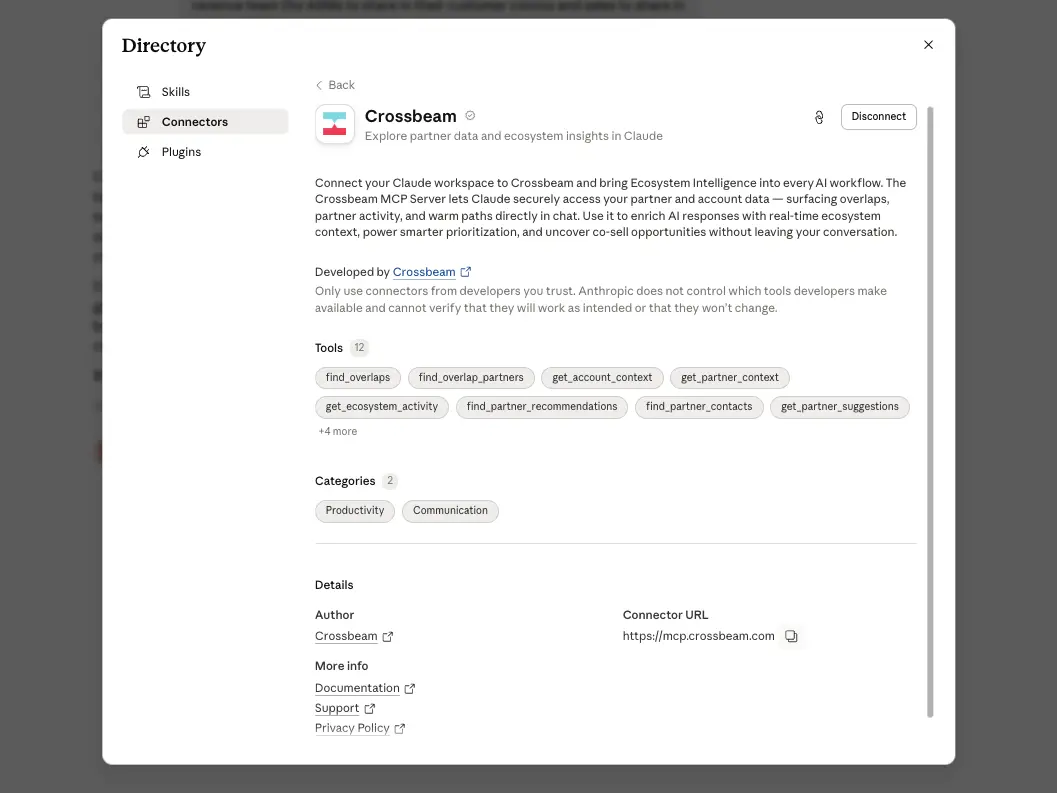
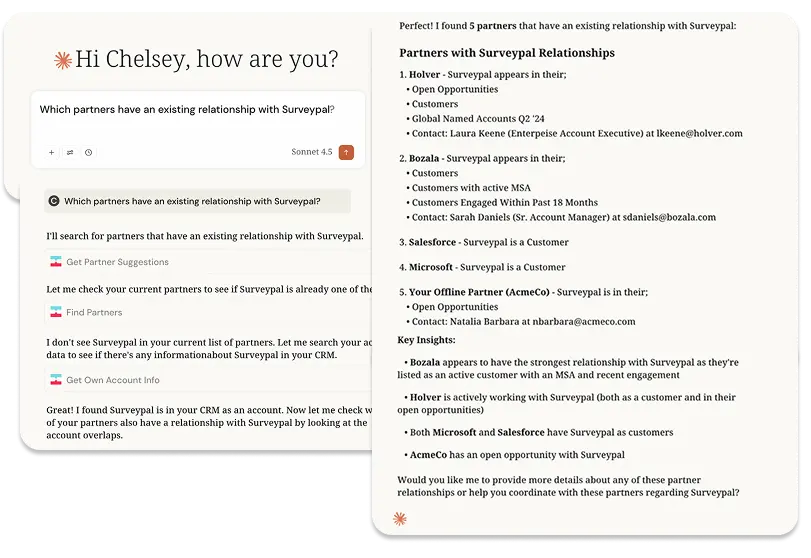
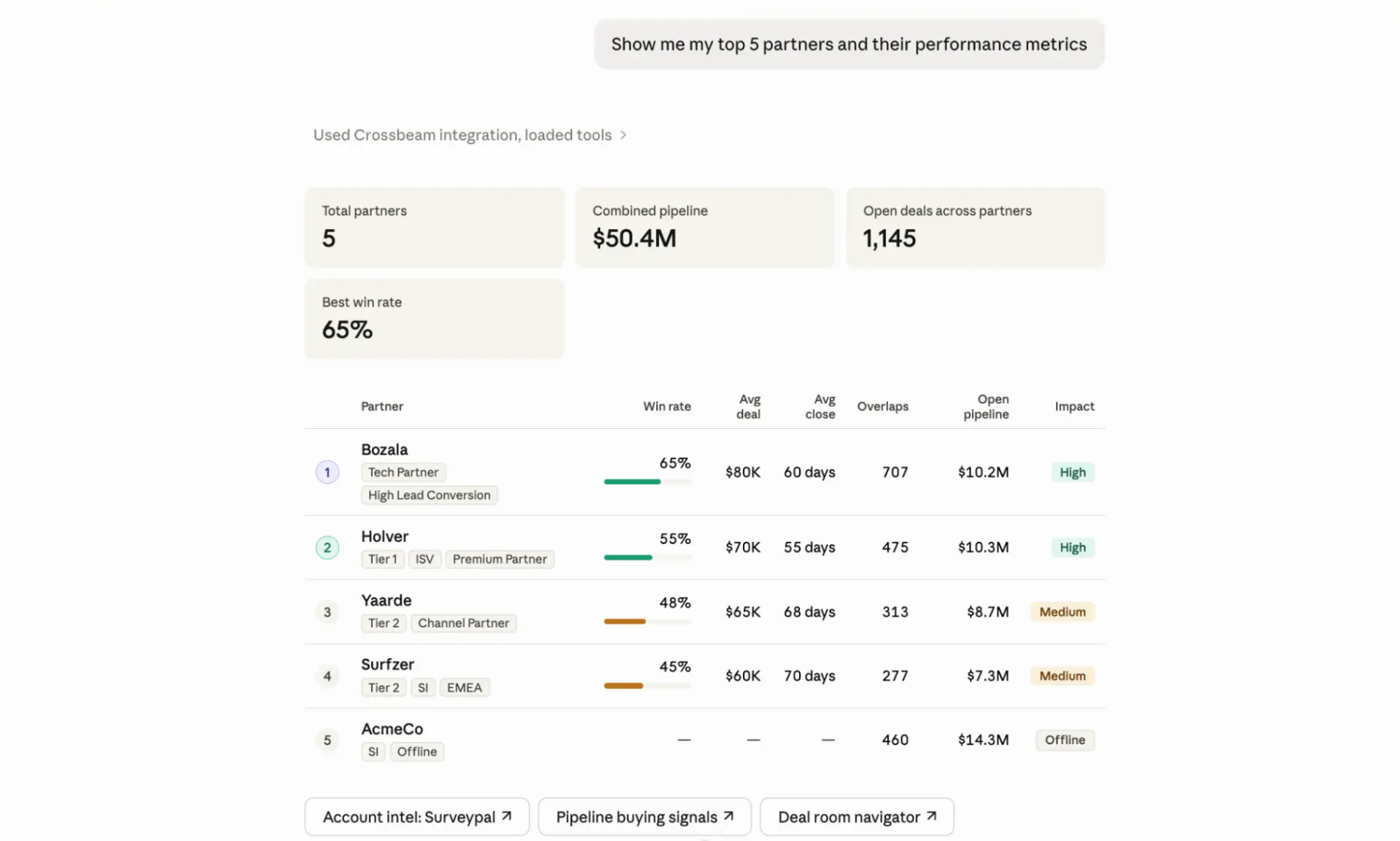
Connect Crossbeam to Claude and give your team direct access to partner and account data right inside their AI workflow. The Crossbeam MCP Connector lets Claude securely pull ecosystem data on demand, so your GTM teams can surface overlaps, partner activity, and warm paths without leaving the chat.
Use it to add real-time ecosystem context to any conversation, sharpen account prioritization, and spot co-sell opportunities as they come up.
Why teams choose Claude Connector
- Surface account overlaps and partner activity without logging into a separate dashboard
- Get ranked partner recommendations for open opportunities, powered by the same engine behind Deal Navigator
- Prep for calls and pipeline reviews with ecosystem context pulled in automatically
- Find the right partner contact for an intro or deal, based on shared account data
- Discover new partners to invite based on ecosystem fit
- Surface which contacts at the account are already known in the partner ecosystem, including the economic buyer, key champions, and anyone involved in prior partner-influenced deals
Setup Instructions
Workspace Owners can add the Crossbeam connector under Organization Settings > Connectors in Claude, and individual users can connect it from Customize > Connectors using their Crossbeam login.
You should speak to your account manager if you're interested in understanding more about using Crossbeam in Claude and credit usage.
Gallery & Videos
FAQ
You can ask natural-language questions across a few common use cases:
- Prioritize accounts: "Which of my open opportunities have an active partner working the same account?"
- Prep for calls: "What ecosystem context exists on [Account] before my call tomorrow?"
- Find the right partner: "Who at [Partner X] can help me get a warm intro to [Account]?"
- Track ecosystem activity: "Which partners have been most active on my accounts this quarter?"
- Discover new partners: "Suggest new partners we should invite based on our ecosystem data."
No custom development is needed. If you're a Workspace Owner, you can add the Crossbeam connector under Organization Settings > Connectors in Claude. Individual users can then connect it themselves from Customize > Connectors using their Crossbeam login credentials.
No. All MCP tools are read-only, so Claude can surface and analyze your Crossbeam data, but it can't create, edit, or delete anything in your account.